Karachi E-Challan Check Online 2026: CNIC & Vehicle Number
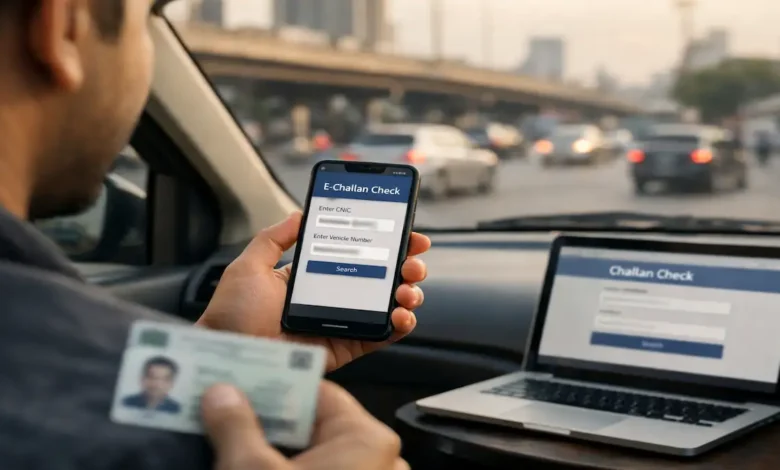
Karachi E-challan check online is no longer a nice to know skill it’s basic driving hygiene in 2026. If you drive daily in Karachi (or even occasionally), you can end up with a challan without ever being stopped on the road. Sometimes it’s a camera based violation. Sometimes it’s a simple mistake you didn’t notice. And sometimes it’s not a real challan at all it’s a scam message designed to rush you into paying.
This deep dive guide is built for real people with real questions. You’ll learn:
- How to check e-challans using CNIC and vehicle number
- How to read challan details properly (so you don’t pay blindly)
- How to pay safely using proper government payment workflows (like PSID where applicable)
- What to do if a challan looks wrong
- How to spot and avoid fake e-challan SMS scams
- How to prevent repeat fines with a few practical habits
No fluff. No robotic repetition. Just a clean, modern, Roz New complete guide written in plain English.
1. What is an E-challan in Karachi?
An e-challan is an electronically recorded traffic fine. The violation is logged in a digital system and linked to a vehicle or identity record. In modern enforcement, the challan may also include an evidence trail (for example, a camera snapshot or system reference), depending on how it was issued.
Why E-challans feel more common now
Karachi traffic enforcement is increasingly digitized, and the everyday result is simple: more violations get recorded, even when no officer stops you. That’s not necessarily more fines, but it does mean fewer violations slip through unnoticed.
In practical terms, you should assume this is the new normal:
- You might learn about a fine later
- Your best defense is regular online checking
- I didn’t get stopped is no longer proof that you have no challan
2. Two official ways people usually check E-challan status
Most Karachi drivers use one (or both) of these approaches:
A. Web portal search (fastest on a laptop)
You search using:
- CNIC, or
- Vehicle number/registration
This is ideal when you want a clean view of results without app logins.
B. App based checking (best for frequent drivers)
Apps can be convenient if you want:
- Quick access on the go
- Saved vehicle profiles
- Faster repeat checks
Important: app convenience is helpful only when the app is trusted and official. You never want convenience to become a privacy risk.
3. What you need before you check (and what you should never share)
You need
- Your CNIC (13 digits) or your vehicle number
- A phone or computer with internet
- A calm mindset (because panic leads to mistakes)
Never share these with anyone claiming traffic help
- Bank password, card PIN, or wallet PIN
- OTP codes (one time passwords)
- CNIC photos to random WhatsApp numbers
- Payment to a personal mobile number for urgent clearance
If someone pressures you to pay quickly using a personal account, that’s not how official systems work.
4. Step by step e-challan Karachi CNIC check (2026)
If you want the broadest and most reliable search, use CNIC.
CNIC checking works best when:
- You want to review your overall status
- You’re verifying a suspicious message
- You manage more than one vehicle in the family
How to do it correctly
- Open the official Sindh Police challan checking service.
- Select the option to search by CNIC.
- Enter all 13 digits without guessing or skipping.
- Submit the search.
- Review the results carefully.
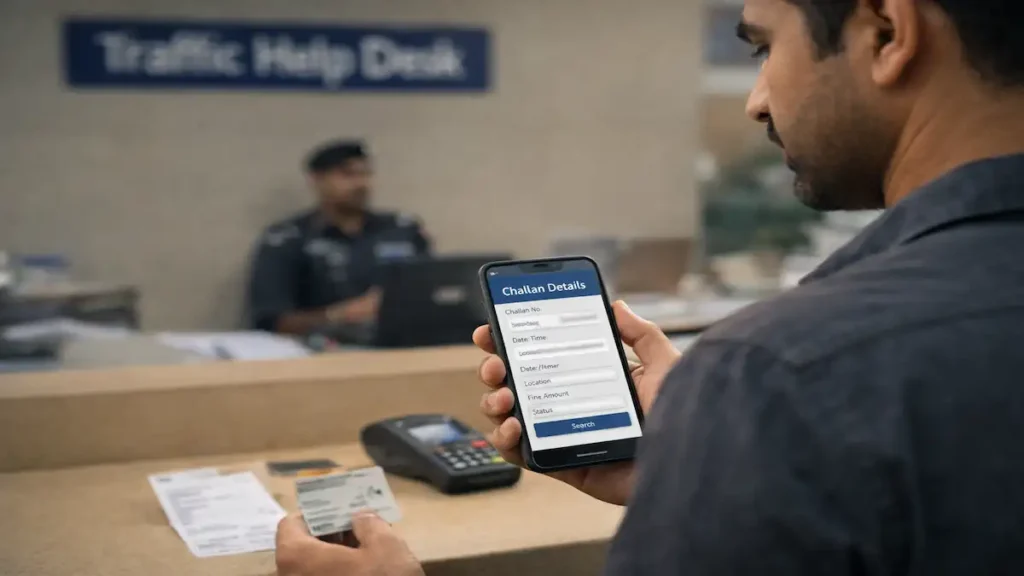
What you should see (typical result set)
Depending on the system, you may see:
- Challan number / reference
- Violation type
- Date and time
- Location
- Amount due
- Payment status (unpaid/paid/processing)
If there are multiple challans, open each record one by one instead of assuming they’re duplicates. Two challans can look similar but be for different dates or locations.
5. Step by step: Karachi e-challan vehicle number check (2026)
Vehicle number search is the quickest one vehicle, one answer method.
Vehicle number checking works best when:
- You’re verifying a fine linked to a specific car or bike
- You’re checking a family member’s vehicle
- You recently rented, borrowed, or used a different vehicle
How to avoid the #1 vehicle number mistake (format confusion)
Vehicle numbers can be entered in slightly different formats. If your first search shows no record, don’t assume you’re clear try a second format variation.
Use these sanity rules:
- Keep letters and digits correct (0 vs O is a common error)
- Try with and without hyphens if the portal accepts both
- Don’t add extra spaces
Once the portal returns results, stick to the exact format that worked for future searches.
6. How to read an e-challan like a pro (so you don’t pay the wrong thing)
A lot of drivers make the same mistake: they see the amount, feel annoyed, and try to pay fast without verifying the details. In 2026, that’s risky.
Use this quick verification checklist
Before paying, confirm:
- Vehicle identity
Does the vehicle number match your registration? - Date & time
Were you actually driving at that time? If the vehicle was parked, lent out, or at a workshop, note it. - Location
Is the location realistic for your route that day? - Violation type
Does it make sense? For example, signal violation on a day you didn’t enter that area is a red flag. - Status
Is it unpaid, paid, or processing? Never pay the same challan twice without confirming status.
Mini case scenario: This wasn’t me
If something looks off, it could be:
- A formatting mix up or record mismatch
- A vehicle that changed owners but wasn’t transferred properly
- A genuine error that needs correction
Either way, your move is the same: pause, document, verify through official channels.
7. The safest payment mindset: pay through systems, not through people
If your challan is real and due, payment should feel routine not like sending money into the unknown.


What safe payment looks like
- A traceable payment method through recognized banking or government payment channels
- A receipt, reference, or confirmation
- A way to re-check status later to confirm it updated
PSID in simple words
A PSID is a payment identifier used in many government payment workflows. It helps route your payment to the correct government account and correct service. If your challan payment process offers PSID generation, that’s a strong sign you’re in a legitimate flow.
Best practice: After payment, save proof (screenshot + reference), then re-check challan status later.
8. The Karachi reality in 2026: fake e-challan SMS scams are common
Here’s the scam pattern you should recognize instantly:
- A message claims you have a challan
- It creates urgency (final notice, pay today)
- It gives you a link that looks official but isn’t
- It pushes payment to a number or a suspicious page
The zero trust rule for SMS links
Even if an SMS looks convincing, don’t click. Do this instead:
- Open the official challan check portal yourself (not via the SMS link).
- Search by CNIC or vehicle number.
- If nothing appears, treat the SMS as suspicious.
- If something does appear, verify the details match the SMS claim.
This one habit prevents most losses.
9. Use the 1915 helpline the smart way (not only in emergencies)
Many people think helplines are only for crashes or traffic jams. In reality, helplines can also be used for verification and guidance, especially when you’re dealing with digital challans.
Call 1915 when:
- You suspect a message is fake
- A challan shows paid but still appears unpaid later
- You can’t find a challan you were told exists
- You need guidance on the correct payment path
- You want to know the correct dispute method
Pro tip: When you call, have your CNIC and vehicle number ready. It speeds up the conversation and reduces errors.
10. No record found troubleshooting (what it actually means)
No record found doesn’t always mean you have no challan. It can mean one of several things.
Most common causes
(1) Format mismatch
Vehicle number entered incorrectly or in the wrong format.
(2) Delay in system syncing
Some violations appear after processing, not instantly.
(3) Wrong search choice
If CNIC gives nothing, try vehicle number (and vice versa).
(4) Temporary portal issues
It happens. If the portal is slow or unstable, try again later or use the helpline for urgent cases.
A calm, reliable troubleshooting flow
- Re-check your input (digit by digit)
- Try the alternate search method
- Try a second format variation
- If still uncertain, confirm via official support
11. What to do if the challan is wrong (dispute friendly checklist)
If you believe the challan is incorrect, don’t treat it like a social media argument. Treat it like a paperwork problem. Your goal is to be clear, factual, and organized.
Step 1: Build a simple proof pack
- Screenshot of the challan record
- Any supporting evidence (fuel receipt, parking slip, location proof, workshop receipt)
- Ownership record proof if the vehicle was sold or transferred
Step 2: Use official guidance
Start by calling the official helpline and ask for the correct dispute path. You don’t need a long story just a clean summary:
- I checked online; this challan appears incorrect. I need the official process to correct it.
Step 3: Fix ownership problems early
If you sold your vehicle but the record wasn’t transferred, you may keep receiving challans linked to the old record. This is one of the most common endless challan stories in Karachi.
12 Bonus check: verify vehicle ownership details through Sindh Excise (helps prevent surprises)
Sometimes the challan itself is real but the record it’s attached to is outdated or incorrect. That’s why it’s smart to verify your vehicle’s registration and ownership status periodically.
This is especially important if:
- You bought a used vehicle recently
- You sold a vehicle and never confirmed the transfer
- Your vehicle is used by multiple family members
- Your registration history is complicated
Think of it as hygiene for your paperwork small effort, big protection.
13. Prevention: how Karachi drivers reduce e-challans without driving too slow
You don’t have to drive like a saint. You just need to avoid the most commonly penalized habits.
High impact habits that work in real Karachi traffic
- Stop line discipline
Don’t creep into the crossing and block flow at signals. - Signal respect (especially in rush hour)
Most I was just trying to pass moments become expensive. - Helmet and seatbelt consistency
Short trips are where people relax and get fined. - Phone discipline
Even a few seconds of distraction is where mistakes happen. - Plates and visibility
Keep your plate readable and standard. Stylish plates can cause problems.
The best strategy is boring: consistent compliance on the basics.
14. Real world routine: a simple monthly check schedule
If you want to stay clear without stress, use a habit:
- Check once every month (CNIC or vehicle number)
- Check again if you travel through heavy camera areas or notice unusual enforcement
- Check immediately if you receive any suspicious SMS
This makes challans a minor task, not a crisis.
Quick FAQ
How do I check e-challan in Karachi online using CNIC?
Use the official challan checking service and search with your 13 digit CNIC. Review each challan record before paying.
Can I check Karachi e-challan with my vehicle number only?
Yes. Vehicle number search is one of the main methods and is ideal for quick, single vehicle checks.
I received an SMS challan should I click the link?
No. Don’t click SMS links. Open the official portal yourself and verify by CNIC or vehicle number.
What if the portal shows “No record found”?
Re-check your input format, try the alternate search method (CNIC vs vehicle), and retry later if the portal is slow. If you’re unsure, use the official helpline.
How do I know the challan belongs to me?
Match the vehicle number, date/time, and location with your real movement. If anything doesn’t align, document it and seek official guidance.
What is PSID, and why does it matter?
PSID is a payment identifier used in many government payment workflows. It helps route your payment correctly and provides traceability.
What if my challan shows paid but still appears unpaid?
Save your receipt/reference and contact official support with those details. Status updates can take time, but don’t pay twice without confirmation.
I sold my vehicle but still get challans what should I do?
Verify whether ownership transfer was completed properly. If the official record still shows your CNIC linked, you’ll keep getting issues until it’s corrected.
Conclusion: make e-challan checking routine, not stressful
Karachi e-challan check online in 2026 is about control. When you verify through official channels, you protect your money, your record, and your peace of mind.
Use CNIC or vehicle number to check regularly. Read challan details before paying. Pay through traceable systems. Ignore suspicious SMS links. And when anything feels unclear, use official guidance instead of guessing.