Best Laptops 2026: Work, Study, and Gaming Picks
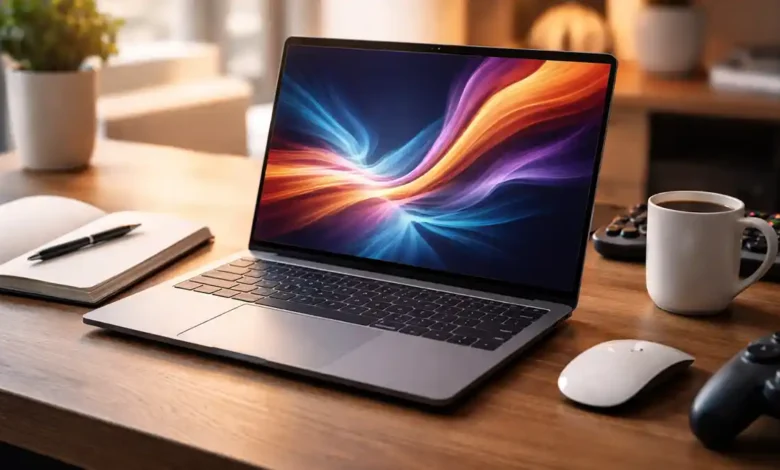
Best Laptops 2026 are no longer judged only by raw speed. Today, the best machines feel fast and stay quiet, last longer on battery, handle video calls better, and keep games smooth without turning into a space heater. That shift is why laptop shopping in 2026 feels both exciting and confusing: the tech has improved, but the number of choices (and marketing buzzwords) has exploded.
This guide is designed to cut through the noise. We will:
- Explain what actually changed in laptops recently (especially AI PCs)
- Make specs easy to understand without oversimplifying
- Give clear, practical picks for work, study, and gaming
- Show you how to choose the right configuration (so you do not overpay or underbuy)
If you want one takeaway before we start: the best laptop is the one that matches your daily routine. A commuter student needs different strengths than a video editor, and a competitive gamer cares about things a remote worker might never notice.
Let’s make the decision simple.
What’s different about laptops in 2026 (and why you should care)
1. AI PCs became a real category, not just a sticker
In 2026, many new Windows laptops ship with an NPU (Neural Processing Unit), a dedicated chip area meant for AI tasks like background effects, transcription, smart search, image tools, and power optimization. Microsoft’s Copilot + PC requirements are a useful baseline: an NPU capable of 40+ TOPS, 16GB RAM, and 256GB storage.
Even if you do not care about AI features right now, these requirements often correlate with newer, more efficient platforms. That usually means better battery life, better responsiveness under load, and longer relevance.
There is also a market reason this matters: Canalys forecasts 19% of PCs shipped in 2024 were AI-capable, rising to 60% by 2027.
So buying into modern AI-capable hardware in 2026 can help your laptop age better and hold resale value.
2. Efficiency is the new performance race
A big theme at CES 2026 was “more performance per watt.” Intel launched Core Ultra Series 3 (Panther Lake) as a next-gen laptop platform built on its 18A process, with broad OEM adoption.
At the same show cycle, AMD introduced its Ryzen AI 400 direction (often described as a Zen 5 refresh aimed at AI PCs).
What this means for you: a laptop can feel fast in real life without needing to run hot or loud. For work and study especially, efficiency is a bigger quality of life upgrade than a small benchmark gain.
3. Gaming laptops got smarter, not just stronger
On the gaming side, RTX 50 series laptops dominate high end announcements, but the bigger story is how performance is delivered: better upscaling, smarter frame generation, and more focus on smoothness.
At CES 2026, NVIDIA announced DLSS 4.5, including a new 6X Multi Frame Generation mode for RTX 50 series and broader quality improvements (with multiple games and apps highlighted).
In practice, this can make a well balanced gaming laptop feel more powerful than an older machine that relies on brute force alone.
4. Upgrade pressure increased after Windows 10 end of support
If you are upgrading from an older laptop, one date matters: Windows 10 support ended October 14, 2025.
That pushed many buyers into 2026 upgrades, which also means more deals on older stock and a crowded market of refreshed models.
Quick decision guide: pick your primary use first
Before specs and brands, decide what you do most often:
If you mainly work (office, browsing, meetings, light creative)
Prioritize:
- Keyboard and trackpad comfort
- Battery life and quiet thermals
- Webcam and microphone quality
- 16GB RAM minimum
If you mainly study (notes, research, PDFs, presentations)
Prioritize:
- Portability (weight and size)
- Battery life and durability
- A comfortable display for long reading
- Value and warranty coverage
If you mainly game (or create + game)
Prioritize:
- GPU tier and power limits
- Cooling design (sustained performance)
- Screen refresh rate and response
- Storage (games get big fast)
If you do all three
Look for a balanced laptop that stays quiet during work but has real graphics power when you need it. This is the creator-gaming hybrid sweet spot.
The 2026 laptop spec checklist (explained in plain English)
CPU and NPU: the brain, plus the AI co-processor
In 2026, modern laptop platforms focus on both compute and AI capability. If you want a practical Windows baseline that will not feel outdated quickly, Copilot+ PC requirements are a strong guide: 40+ TOPS NPU, 16GB RAM, 256GB storage.
You do not need Copilot+ features to buy a good laptop, but this class of hardware typically delivers:
- Better efficiency
- Faster wake and smoother multitasking
- More headroom for future OS features
GPU: the difference between “plays games” and “plays games well”
For gaming and creative tasks, the GPU matters. But two laptops with the same GPU name can perform differently because of:
- Power limits (wattage)
- Cooling system design
- CPU pairing and chassis thickness
If you game seriously, do not buy based on the GPU label alone. Always check whether the laptop is built for sustained performance.
RAM: the multitasking safety net
- 16GB is the practical minimum for 2026 if you use lots of browser tabs, video calls, and multiple apps.
- 32GB is ideal for creators, developers, heavy spreadsheets, and gaming plus streaming.
Storage: the “why is my laptop full already?” reality
- 512GB is comfortable for most people.
- 1TB is a smart choice for gamers and creators.
- If the laptop has an upgradeable SSD slot, you can save money by upgrading later (when practical).
Display: where you feel quality every day
For work and study, prioritize:
- Comfort: brightness, anti-glare, and good scaling
- Resolution: enough clarity without destroying battery
For gaming:
- Higher refresh rates help, but a strong panel (brightness, color, response) matters too.
Battery, thermals, and noise: the everyday experience
This is what makes you love or hate a laptop. Many powerful laptops become annoying because they:




- Get loud during simple tasks
- Run hot on your lap
- Throttle performance over time
When reviews mention “quiet under light load” and “stable performance over long sessions,” that is gold.
Ports: your future convenience
Think about your routine:
- External monitor? USB-C/Thunderbolt/USB4 matters.
- SD card? Creators benefit.
- Ethernet? Some gamers still prefer it.
Some Panther Lake details include platform features like higher-end connectivity options depending on the chip tier.
Best laptops for work in 2026 (practical picks)
(1) Best premium work laptop: Dell XPS 14 / XPS 16 (2026 return)
Dell revived the XPS branding at CES 2026 with new XPS 14 and XPS 16 models built around Intel’s Panther Lake platform, aiming for premium design and mobility.
Why this is a strong work choice:
- Premium build quality and professional look
- Great for multitasking, office apps, and productivity workflows
- The kind of laptop that feels “high-end” every time you open it
Who should buy it:
- Professionals who value design, screen quality, and daily comfort
- People who want a premium Windows machine without gaming bulk
Trade-offs:
- Premium pricing
- Choose your configuration carefully (RAM and storage matter more than most upgrades)
(2) Best business-focused laptop family: ThinkPad-class productivity machines
If typing is your job, prioritize keyboards and reliability. Business laptops often offer:
- Better keyboards and serviceability
- Practical port selections
- Strong warranty options
This category is not always glamorous, but it is often the smartest long-term buy for work.
(3) Best AI-forward productivity laptop: HP OmniBook Ultra 14 (2026 flagship class)
HP positioned its latest OmniBook Ultra 14 as a flagship AI laptop, including claims of very high NPU capability on certain configurations.
Why it stands out:
- Focus on modern AI-ready platforms (including new chip options)
- Designed for premium productivity with updated displays and performance targets
Trade-offs:
- Pricing and real-world battery/performance depend heavily on exact configuration and region availability
(4) Best “work + creative” laptop approach
If your work includes content creation (Photoshop, video, design), prioritize:
- 32GB RAM (or upgrade path)
- A high-quality display
- Adequate cooling for sustained workloads
This is where “creator laptops” shine: not always gaming-bright, but strong for real projects.
(5) Best budget work laptop (that still feels modern)
For value, ignore hype and target these basics:
- 16GB RAM
- 512GB SSD
- Good keyboard
- Decent 1080p webcam
If you can only upgrade one thing, upgrade RAM (or buy the 16GB config).
Best laptops for students in 2026 (smart, portable choices)
(1) Best overall student laptop: thin-and-light with great battery
Students need reliability and stamina more than peak speed. A good student laptop:
- Starts fast
- Survives long days away from outlets
- Handles many tabs, PDFs, and calls smoothly
For Windows buyers, the Copilot+ hardware baseline is useful for future-proofing: 16GB RAM and modern AI-capable platforms.
(2) Best 2-in-1 for note-taking and reading
If you genuinely write notes by hand, annotate PDFs, or sketch diagrams:
- A convertible can replace paper notebooks
- Pen support and hinge quality matter more than raw speed
If you rarely use a pen, do not pay extra for the feature.
(3) Best budget student laptop (the safe formula)
Your goal is “smooth for years,” not “cheap today.” Look for:
- 16GB RAM
- 512GB storage (or upgradeable)
- A solid keyboard
- Good battery reputation
Also note the market context: some OEMs have flagged rising memory costs affecting pricing and margins.
So when you find a 16GB model at a strong deal, it is often worth taking.
(4) Best Chromebook approach (only if it matches your workflow)
Chromebooks are excellent for:
- Web-based coursework
- Google Docs and cloud workflows
- Simple, reliable daily use
Just avoid the cheapest builds. Get a comfortable keyboard and screen, and enough RAM for modern browsing.
Best gaming laptops 2026 (and how to avoid regret)
First: pick your gaming “style”
Gaming laptops come in three real personalities:
- Portable gaming (thin, stylish, lower noise expectations)
- Performance-first (thicker, louder, max FPS)
- Creator-gaming hybrid (great screens, strong GPUs, professional design)
If you buy the wrong personality, you will dislike the laptop even if it benchmarks well.
(1) Best thin-and-light gaming family: ASUS ROG Zephyrus G14 / G16 (2026)
ASUS announced updates to the Zephyrus G14 and G16 lineup at CES 2026, positioning them as do-it-all premium gaming laptops with new hardware options.
Why it is a top pick:
- Strong gaming capability without “giant gaming laptop” bulk
- Great for students and professionals who want one machine for everything
Trade-offs:
- Thin designs may run warmer or limit sustained GPU power compared to thicker models
(2) Most innovative high-end choice: ASUS ROG Zephyrus Duo (2026)
The redesigned Zephyrus Duo leans into productivity and gaming with dual full-size OLED displays and RTX 50-series positioning.
Best for:
- Streamers and multitaskers
- Creators who want timelines, chat, tools, or dashboards always visible
Trade-offs:
- Premium price and heavier build
- You are buying a unique workflow, not a normal laptop
3) Best value performance gaming pick: MSI Crosshair 16 Max HX class
MSI’s Crosshair 16 Max HX was presented as a slimmer, stronger update with RTX 50-series options and an OLED high-refresh display, with a stated starting price and timeline.
Best for:
- Gamers who want strong specs without paying purely for “luxury design”
- People who mostly play at a desk and can handle a larger laptop
(4) A 2026 gaming advantage you should understand: DLSS 4.5
NVIDIA’s DLSS 4.5 announcements emphasized improved image quality and multi-frame generation features, particularly for RTX 50-series laptops.
In real terms, this can help laptops maintain high frame rates and smoother gameplay at higher resolutions, depending on game support and settings.

Best Laptops 2026 by budget (what to buy at each level)
Under $700 (value zone)
Aim for:
- 16GB RAM if possible (or upgradeable)
- 512GB SSD (or at least 256GB with upgrade path)
- A decent 1080p webcam
Avoid:
- 4GB RAM or weak build quality
- Low-resolution displays if you read a lot
Best for:
- Basic study, browsing, office work, streaming, light creative tasks
$700 to $1,100 (sweet spot for most people)
This is where “best value” lives:
- Better screens
- Better keyboards
- Better overall build quality
- Modern CPUs that stay fast for years
Best for:
- Students
- Remote workers
- Anyone who wants a reliable daily laptop
$1,100 to $1,700 (premium ultrabooks and entry gaming)
Here you start getting:
- Premium design and displays
- Faster SSDs and stronger GPUs (in some models)
- Better thermals and audio
Best for:
- Professionals who live on their laptop
- Students who also edit video or game regularly
$1,700 to $2,500 (serious power)
This range includes:
- High-end ultrabooks
- Creator laptops
- Strong gaming laptops with better screens and cooling
If gaming is your priority, this is often the price point where laptops stop feeling “compromised.”
$2,500+ (flagships and specialized machines)
Buy here only if you know why:
- You need top-tier GPU power
- You want a dual-screen design
- You run demanding workloads daily
Otherwise, a well-chosen laptop in the tier below often feels nearly as good.
How to choose the right configuration (the part most people get wrong)
Do not underspend on RAM
If you keep laptops for years, RAM is the easiest regret.
- For work/study: 16GB minimum
- For gaming/creation: 32GB if you can afford it
Storage is cheaper than frustration
If you install games, keep large files, or do creative work:
- 1TB feels comfortable
- 512GB is fine for many people, but you must manage it
Pay attention to cooling if you buy performance hardware
A thin laptop with a strong GPU can be great, but only if cooling is designed for sustained load. Otherwise, performance drops after a few minutes.
Do not ignore the “human” features
A laptop you love daily usually has:
- A keyboard you enjoy typing on
- A trackpad that feels precise
- A screen that does not strain your eyes
- Battery life that matches your routine
Specs do not capture these things well, but your experience will.
When to buy in 2026 (timing tips)
Good times to buy:
- Right after major launches (new models arrive, older models go on sale)
- Back-to-school promotions
- Major retail sales periods
Because Windows 10 support ended in late 2025, many buyers upgraded and the market is crowded with both refreshed models and discounted previous-gen units.
Make any new laptop feel better in the first hour
- Update system firmware and drivers
- Remove unnecessary startup apps
- Keep 15% to 20% storage free
- Use a quality USB-C hub if you connect multiple devices
- Set a sensible power mode (balanced for work, performance for gaming)
These small steps often matter more than chasing a tiny CPU upgrade.
Quick FAQ
Is 8GB RAM enough in 2026?
For light use it can work, but 16GB is the safer baseline for smooth multitasking.
What is a Copilot+ PC and do I need one?
It is a Windows AI-focused class with specific hardware requirements; you do not need it, but it can be a good future-proof baseline.
What matters more for gaming: GPU model or cooling?
Both matter, but cooling and power limits often decide real performance in long sessions.
Should students buy a gaming laptop?
Only if you truly game often; otherwise weight, noise, and battery can become annoying.
Is a 2 in 1 worth it for study?
Yes if you actually annotate PDFs or handwrite notes regularly.
How much storage should I buy?
512GB is fine for many; gamers and creators should aim for 1TB.
Are AI features the main reason to upgrade?
Not always. Efficiency, battery life, and better thermals often matter more day to day.
Does Windows 10 end of support affect buying decisions?
Yes. Support ended October 14, 2025, so moving to Windows 11 capable hardware is the safer path.
Conclusion
Best Laptops 2026 are defined by balance. The best work laptops feel quiet and confident. The best student laptops disappear into your backpack and last all day. The best gaming laptops deliver smooth performance without constant throttling or jet-engine fans.
Use the “primary use first” approach, choose 16GB RAM as your baseline, and treat thermals and display quality as first-class features. If you do that, you will end up with a laptop that feels modern for years, not just on day one.