FIA EMI App Pakistan Abroad: Using It on International SIMs and Roaming (2026 Guide)
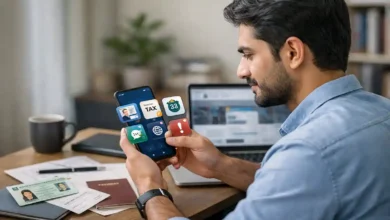
FIA EMI App Pakistan Abroad is one of those travel topics that looks simple on the surface but becomes confusing the moment you are actually outside Pakistan and trying to prepare for a trip. Many travelers ask the same practical question in slightly different ways: will the app work if they are using a Saudi SIM, a UAE SIM, a UK SIM, roaming on their Pakistani number, or hotel Wi-Fi in another country?
The most realistic answer is that the app can often be used abroad, but the experience depends on more than just the SIM card inside your phone. In real life, travelers do not face one single issue. They usually deal with a combination of internet quality, phone permissions, account access, document readiness, and timing. That is why one person says the app worked perfectly in Riyadh, another says it failed in Dubai, and a third says it was fine on Wi-Fi but became unreliable on mobile data.
The truth usually lies in the details.
A foreign SIM does not automatically block the app. Roaming does not automatically make it fail. Wi-Fi is not automatically enough for every situation. What matters is which part of the process you are trying to complete and how well prepared your phone and documents are before travel day arrives.
That distinction is important because many travelers combine three different issues into one. First, there is the question of whether the app opens and runs normally on your phone. Second, there is the question of whether you can log in, stay logged in, or complete any verification step that may be connected to your account or phone number. Third, there is the bigger travel question of whether your documents, uploads, and overall travel preparation are complete enough to avoid trouble before departure.
These are not the same problem, and they do not always fail for the same reason.
For overseas Pakistanis, students, workers, Umrah travelers, families, and frequent flyers, the smart approach is to stop thinking only in terms of Pakistani SIM versus international SIM. The more useful way to think about it is this: do you have stable internet, a working session, clean documents, proper permissions, and enough time before departure to fix anything that goes wrong?
This guide takes a practical, traveler first approach. It explains how the FIA EMI app may behave when you are outside Pakistan, what international SIM users should realistically expect, how roaming fits into the picture, what setup is safest, what mistakes create last minute stress, and how to prepare in a way that reduces risk. The goal is not to create panic or false confidence. The goal is to help travelers think clearly, prepare early, and avoid common problems that are often blamed on the app but are actually caused by poor timing or poor phone setup.
Why travelers abroad get confused about the app
One of the biggest reasons this topic feels confusing is that people usually search for answers only when travel is already close. That means they are already stressed, already switching between airline messages, visa documents, passport scans, and family planning, and then they add one more question: will the app work from abroad?
At that stage, even a small technical problem feels much bigger than it really is.
A slow network can feel like an immigration issue. A blocked permission can look like an app bug. A login problem can feel like a foreign SIM restriction. A blurry document upload can feel like a system failure. When you are under time pressure, everything feels more serious than it would if you had tested it calmly a few days earlier.
That is why good travel preparation matters more than guesswork.
The travelers who usually have the smoothest experience are not always the most technical ones. They are often the ones who do four things early: they test the app ahead of time, keep their number situation stable, prepare their documents clearly, and avoid making phone changes during the travel week.
Can the FIA EMI app work on an international SIM?
In many real world situations, yes, it can.
If you are already signed in, your phone permissions are enabled, and you have a stable internet connection through mobile data or Wi-Fi, the app may work normally for many routine actions. The country of the SIM card does not automatically decide whether the app opens. A smartphone connected to the internet can still run an app whether the data is coming from Pakistan, Saudi Arabia, the UAE, Qatar, Malaysia, or the UK.
That said, travelers should not oversimplify the issue. The question is not only whether the app can open. The more important question is whether your full workflow remains smooth. For example, browsing inside the app is one thing. Uploading a document is another. Recovering access, verifying something, or dealing with an interrupted session may be more sensitive than simply opening the app and viewing information.
This is where many people misunderstand the problem. They ask whether the app works abroad, when what they really need to ask is whether their exact use case will work abroad on their current setup.
Someone who is already signed in and only needs to review or upload information may have a very smooth experience. Someone who has changed phones, switched SIMs, forgotten their account details, and is testing the app for the first time a few hours before departure may have a much harder time.
So yes, the app may work on an international SIM, but success depends on how stable the rest of your setup is.
What matters more than the SIM itself
Travelers often focus too heavily on the SIM card and ignore the larger picture. In practice, five other factors usually matter more.
The first is internet stability. A strong connection solves many problems before they begin. A weak, interrupted, or throttled connection can create upload failures, loading issues, and incomplete sessions.
The second is account continuity. If you have already been using the app smoothly on one phone or one number, keeping that setup stable is often smarter than changing everything at once.
The third is phone permissions. If camera, storage, files, notifications, or other app permissions are disabled, the app may appear broken even when it is not.
The fourth is document readiness. Many upload problems have nothing to do with the network or SIM. They happen because the passport scan is dark, the visa image is cropped, the file is not easy to access, or the details are inconsistent.
The fifth is timing. An issue discovered a week before travel is manageable. The same issue discovered while heading to the airport feels like a crisis.
This is why experienced travelers try to remove uncertainty early instead of collecting last minute advice from random people online.
International SIM, Pakistani roaming, or Wi-Fi: which option is best?
There is no single perfect setup for everyone, but some setups are clearly safer than others.
1. Pakistani SIM on roaming
For many travelers, this is the safest option for continuity. If your number has been part of your normal digital life and may be connected to important services, keeping it active while abroad can reduce avoidable risk. Even if you do not use it heavily for data, simply keeping the number reachable can be useful.
A lot of travelers make the mistake of turning off or abandoning their Pakistani number too early. Then, when something depends on number continuity, they suddenly realize they have made their own situation harder.
Roaming data may be expensive, but even limited roaming can still be useful as a backup. Many people keep the Pakistani SIM active for continuity and use a local or foreign SIM for cheaper data.
2. Foreign SIM with active mobile data
This setup can work well, especially if you are already logged in and only need a stable connection. A strong local network abroad is often better than weak roaming. If your session is already active and your phone is configured properly, foreign mobile data can be perfectly workable.
The problem is not the foreign SIM itself. The problem begins when travelers rely on a foreign SIM but have never tested whether their app session, notifications, or document workflow are actually stable on that device.
3. Hotel or home Wi-Fi abroad
Wi-Fi is often fine for basic use, especially when you are preparing calmly in your accommodation. In many cases, Wi-Fi is better than weak roaming. Large uploads may also perform more smoothly on a reliable broadband connection.
But Wi-Fi alone is not an ideal travel strategy. It disappears when you leave the room, change airports, move between terminals, or need urgent access while on the road. It is a useful tool, not a complete backup plan.
4. Dual SIM or eSIM plus physical SIM
This is usually the strongest option of all. One number provides continuity. The other provides practical data access. This setup gives travelers flexibility without forcing them to choose between identity stability and affordable internet.
In real travel planning, resilience is better than simplicity. A backup often matters more than elegance.
The smartest setup for overseas Pakistanis
If you want the safest and least stressful setup, think in layers.
Keep your Pakistani number active if possible, especially if it may be useful for account continuity or related digital services. Use a local or foreign SIM, or strong Wi-Fi, for the actual data heavy tasks. Keep your documents stored in more than one place. Test the app before the travel week. Avoid uninstalling or resetting anything unless there is a clear reason.
This kind of layered preparation may sound basic, but it prevents many of the most common travel day problems.
Travelers often create trouble by changing too many things at once. They buy a new phone, install the app again, change SIMs, move to a new country network, clear app data, and test everything at the last minute. Then they blame the app when the real issue is instability caused by too many changes in too little time.
What to do before your travel week
The best time to check the app is not the day before departure. It is not the morning of departure. It is not from the airport lounge. The best time is several days before you need it.
Start by opening the app in a calm environment with strong internet. Confirm that it launches normally. Review the basic interface. Make sure the session is stable. Check whether the sections you need are accessible.
Then review your phone permissions. Make sure the app can access the camera if you may need to capture or upload images. Make sure file or media access is enabled if your phone requires that permission for document uploads. Disable unnecessary battery restrictions that may interfere with the app while it is running.
After that, prepare your documents properly. Keep your passport image clear and bright. Store visa pages in an easy to find folder. Avoid sending documents to yourself in ten different messaging apps and then searching for them under pressure. Give files simple names that make sense.
Also, check consistency. Names, passport numbers, visa dates, and other details should match cleanly across your documents. Digital convenience cannot fix a document mismatch.
Finally, do not wait for airport week to discover that your phone is full of clutter, your app permissions are blocked, or your internet setup is unreliable.
Common problems travelers abroad face
Many people think international SIMs are the main issue, but the most common real world problems are usually broader than that.
Weak connection during upload
A document upload that keeps failing is often caused by unstable internet rather than by the app itself. Roaming can be slow. Public Wi-Fi can be inconsistent. Hotel networks may log you out without warning. This is why uploads should be done when you have strong, uninterrupted internet.
Session problems
If you are already logged in and everything is working, avoid unnecessary logouts. Many travelers create fresh problems by signing out when there was no reason to do so. A stable session is valuable, especially when you are abroad.
Disabled permissions
This is one of the most overlooked issues. Phones frequently change permission settings after software updates, device transfers, or privacy changes. The app may need access to files, camera, internet, or notifications. If something is blocked, you may mistake a phone setting problem for a system failure.
Poor file quality
A dark photo, cropped passport page, blurred visa image, or incomplete screenshot can create upload trouble. Travelers often assume the app is rejecting them, when the real problem is simply that the file is bad.
Last minute testing
This is the most common mistake of all. A person who tests early has options. A person who tests late has stress.
Why one traveler’s experience does not guarantee yours
People often say things like, My friend used it in Dubai and it worked fine, or Someone in Saudi Arabia said it did not work at all. These stories may be true, but they are rarely complete.
Two travelers may seem similar while having completely different conditions. One may already be signed in. One may still have a Pakistani SIM active. One may be using strong home Wi-Fi. Another may be using weak airport data. One may only need to review information. Another may be trying to solve an account problem for the first time.
That is why anecdotal advice should never be treated as final proof. Travel apps are not tested in one perfect laboratory condition. They are used by different people on different phones, networks, operating systems, permission settings, and document workflows.
The smart move is not to trust a random success story or failure story. The smart move is to create the most stable setup possible for your own case.
How to use the app abroad more safely
If you are already outside Pakistan and need to use the FIA EMI app, the safest method is simple and disciplined.
Open it on the strongest connection available. Do not begin with a weak public network unless you have no other option. Let the app load fully before trying uploads.
Check that your phone is not blocking it through battery saving rules or restricted permissions. Many apps behave differently when the phone is aggressively limiting background activity.
Avoid reinstalling the app unless you actually need to. A working setup should not be disturbed just because you are nervous.
Keep your files ready before you enter the upload stage. Passport, visa, and any related travel documents should be clearly visible and easy to find. Make sure the information is readable. Do not upload rushed screenshots that cut off important details.
And above all, leave a time buffer. No travel app should be tested for the first time while you are on the way to the airport.
Does the app replace airport immigration checks?
No, and travelers should never think that it does.
This is one of the most important points to understand. A successful upload or a working app session does not replace the actual immigration process. It does not erase the need for correct visa status, complete travel documents, or proper compliance with travel requirements.
Think of the app as part of the broader preparation process, not as a substitute for the process itself.
A traveler can have a functioning phone and still face issues if the documents are incomplete or inconsistent. In the same way, a traveler may face technical difficulty inside the app but still solve the travel issue through proper preparation and official guidance.
The app is a tool. It is not a guarantee.
Privacy and caution while using the app abroad
When you are using any travel related app outside your home country, especially one connected to identity and travel documents, privacy and security matter.
Use the official app source. Avoid unofficial APK files, random forwarded links, or fake downloads shared in groups. Keep your phone updated. Use a secure network when handling sensitive documents. Do not upload personal files over suspicious public Wi-Fi unless absolutely necessary.
Also be careful with screenshots and shared folders. Travelers often leave passport pages, visa images, and identity details scattered across cloud links, chat threads, and downloads folders. That is not a good habit. Keep your documents organized and secure.
A travel app may help your preparation, but the responsibility for your device hygiene still belongs to you.
What about local connectivity after arriving in Pakistan?
This is another area many travelers forget to plan for.
Using the app abroad is one phase of the journey. Staying connected after landing in Pakistan is another. If you are carrying an overseas device and plan to use local mobile service after arrival, connectivity planning becomes part of the broader travel setup.
That is why travelers should not think only about the departure phase. They should also think about what happens after arrival. A phone that was working smoothly abroad may still need practical local connectivity for the next stage of the trip. Planning for that in advance makes the full journey much smoother.
Best practice advice for 2026 travelers
If you want the most practical and least stressful route, follow a simple formula.
Test early.
Keep your phone setup stable.
Do not switch numbers without reason.
Keep your Pakistani line active if it may help continuity.
Use strong Wi-Fi or good local data abroad.
Prepare clean document files.
Check permissions.
Avoid last minute logouts or reinstallations.
Give yourself a time buffer before travel.
This kind of preparation is not dramatic, but it works. Most travel stress comes from rushed decisions, not from technology alone.
Quick FAQ
Can I use the FIA EMI app outside Pakistan?
Yes, many travelers can use it abroad, especially when they already have a stable setup and a good internet connection.
Does the app only work on a Pakistani SIM?
Not necessarily. The SIM alone is not the whole issue. Internet quality, account continuity, and phone permissions often matter more.
Is roaming better than using a foreign SIM?
Not always. Roaming can help with continuity, while a foreign SIM may offer better data. For many travelers, a combination of both is the safest setup.
Is Wi-Fi enough to use the app abroad?
Wi-Fi can be enough for many tasks, especially in a stable home or hotel environment, but it should not be your only backup during travel.
What is the most common reason the app seems not to work?
In many cases, the problem is not the SIM. It is weak internet, blocked permissions, poor file quality, or last minute testing.
Should I log out and log back in if something looks slow?
Not unless you really need to. If your session is already stable, unnecessary logouts can create new problems.
What is the safest setup for overseas Pakistanis?
A layered setup is usually best: keep your Pakistani number active if useful, and use strong local data or Wi-Fi for practical use.
Does the app replace immigration checks at the airport?
No. A working app does not replace correct travel documents, visa status, or normal immigration review.
Final verdict
So, can you use the FIA EMI App Pakistan Abroad on international SIMs and roaming in 2026?
In many cases, yes.
But the better answer is that the app can work abroad when your overall setup is stable. The SIM itself is only one part of the equation. What usually matters more is strong internet, a steady account session, correct phone permissions, clear documents, and early testing.
For overseas Pakistanis, the smartest move is not to ask only whether a Saudi SIM, UAE SIM, or roaming package is accepted. The smarter move is to build a reliable setup that includes continuity, data access, document readiness, and enough time to fix problems before departure.
That is the real lesson here. Travel confidence does not come from a single app icon or from one specific SIM card. It comes from preparation.
When travelers think ahead, keep their setup simple, and avoid changing everything at the last minute, the app becomes much easier to manage. When they wait until the final hours and hope that any network, any document, and any phone setup will somehow work perfectly, small issues become major stress.
In 2026, the most practical way to approach the FIA EMI app from abroad is with a calm mindset and a backup ready plan. Use stable data. Keep your documents clean. Preserve continuity where possible. Test everything before travel week. That approach is far more useful than relying on rumors, panic, or random advice from someone whose travel situation may have been completely different from yours.



2 Comments