How to Check PTA Approval: IMEI Status, Tax, and Safe Buying Tips
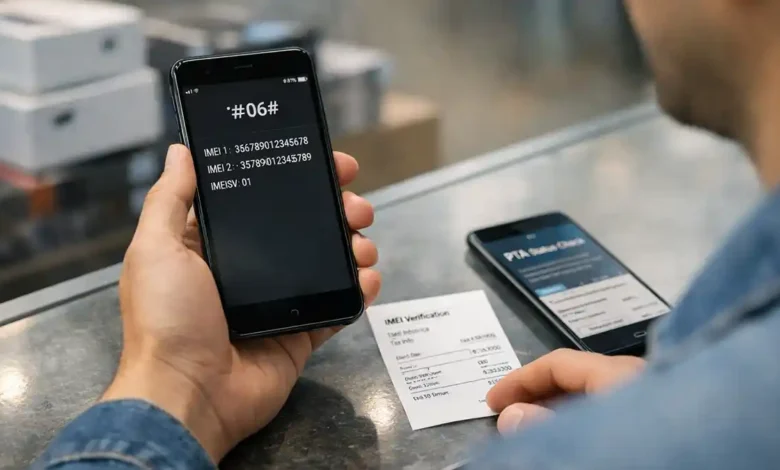
How to Check PTA Approval is one of the most important skills for smartphone buyers in Pakistan especially if you are buying a used phone, an imported device, or a phone brought from abroad. A device may look brand new, have a strong battery, and offer a great price, but if its PTA/IMEI status is not clear, it can become an expensive problem later.
This is where many buyers make a costly mistake.
They check the camera, battery health, RAM, storage, and body condition but skip the step that decides whether the phone will work properly on Pakistani SIM networks long term. If the device is non compliant, blocked, duplicated, or has unresolved tax/registration issues, you may end up paying extra or worse, you may lose network access completely.
This guide explains everything in simple English:
- what PTA approval means,
- how to check IMEI status the right way,
- how PTA tax and registration work in practical terms,
- how to avoid scams,
- and how to buy a phone safely in Pakistan.
The goal is simple: after reading this article, you should be able to verify a phone like a careful buyer not just a hopeful one.
Why PTA Approval Matters Before Buying a Phone in Pakistan
In Pakistan, PTA approval is not just a technical label. It directly affects whether a mobile device can be used on local cellular networks without interruption.
A phone may work on Wi-Fi and still create problems when you insert a SIM. That is why PTA compliance matters so much. If the device status is wrong, your phone may face network restrictions, require registration/tax processing, or lose resale value.
For buyers, this has real world consequences:
- unexpected tax cost after purchase,
- network issues after a few days or weeks,
- difficulty reselling the phone,
- fake PTA approved claims from sellers,
- and disputes when no proof was saved at the time of purchase.
In simple terms: PTA approval checking is not optional anymore it is part of smart buying.
PTA, DIRBS, DVS, DRS, IMEI, and FBR Simple Meanings
Before checking anything, it helps to understand the terms. Many buyers get confused because the market uses these words loosely.
PTA
PTA stands for Pakistan Telecommunication Authority. It is the telecom regulator in Pakistan. In the mobile device context, PTA oversees the systems used for device verification and compliance.
IMEI
IMEI stands for International Mobile Equipment Identity. It is the unique identification number assigned to a phone’s SIM capable hardware.
Important point: most dual SIM phones have two IMEIs. That means you must verify both, not just one.
DIRBS
DIRBS stands for Device Identification Registration and Blocking System. This is the broader framework used for identifying, verifying, registering, and blocking devices when needed.
DVS
DVS means Device Verification System. This is the part used to check the status of an IMEI (for example: compliant, non compliant, blocked, etc.).
DRS
DRS means Device Registration System. This is used when a device requires registration and related tax/duty processing.
FBR and Tax
FBR (Federal Board of Revenue) is the authority involved in duty/tax assessment and collection for device registration cases. This is why many people confuse PTA approval with PTA tax. They are related but they are not the same thing.
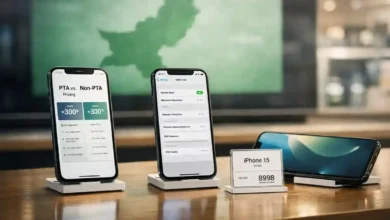
PTA Approval Check vs PTA Tax Check (They Are Not the Same)
This is one of the biggest misunderstandings in the market.
PTA Approval Check (IMEI Status Check)
This tells you whether the device IMEI is:
- compliant,
- non compliant,
- blocked,
- or problematic (such as duplicate/cloned in some cases).
This is about the status of the IMEI/device.
PTA Tax / Registration Check
This is about whether the phone requires registration and duty/tax payment, and whether the process has been completed.
This is about the financial and registration side of using the phone legally on local networks.
Easy way to remember
- Approval/status check = Can this IMEI be used normally?
- Tax/registration check = Is any payment/registration still pending?
You may need both checks before buying a phone.
Step 1: How to Find the IMEI (Correctly)
Before you can verify PTA approval, you need the IMEI number(s). This sounds simple, but many buyers check the wrong place or only check one IMEI on a dual SIM phone.
Best method (fast and reliable)
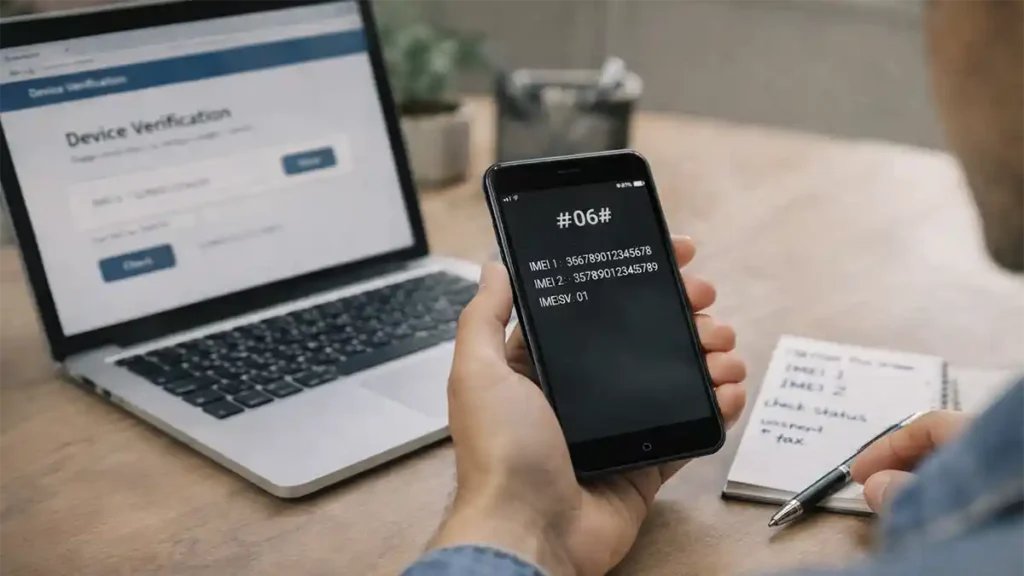
Dial this code on the phone: *#06#
The phone will display the IMEI number(s).
Other places to check IMEI
- Phone box label
- Phone settings
- Android: Settings > About Phone
- iPhone: Settings > General > About
- Invoice/warranty slip (if listed)
Why this matters
You should always compare the IMEI shown on the phone with the IMEI printed on the box. If they do not match, do not ignore it. A mismatch may indicate:
- box replacement,
- motherboard replacement,
- mixed parts,
- cloned/patched issues,
- or simply a careless seller (which is still risky).
Dual SIM buyers: very important
If the phone has dual SIM support, check both IMEIs separately. One may be compliant while the other is not.
Step 2: How to Check PTA Approval (Official Methods)
Once you have the IMEI, the next step is verification. The safest practice is to use official PTA recognized methods.
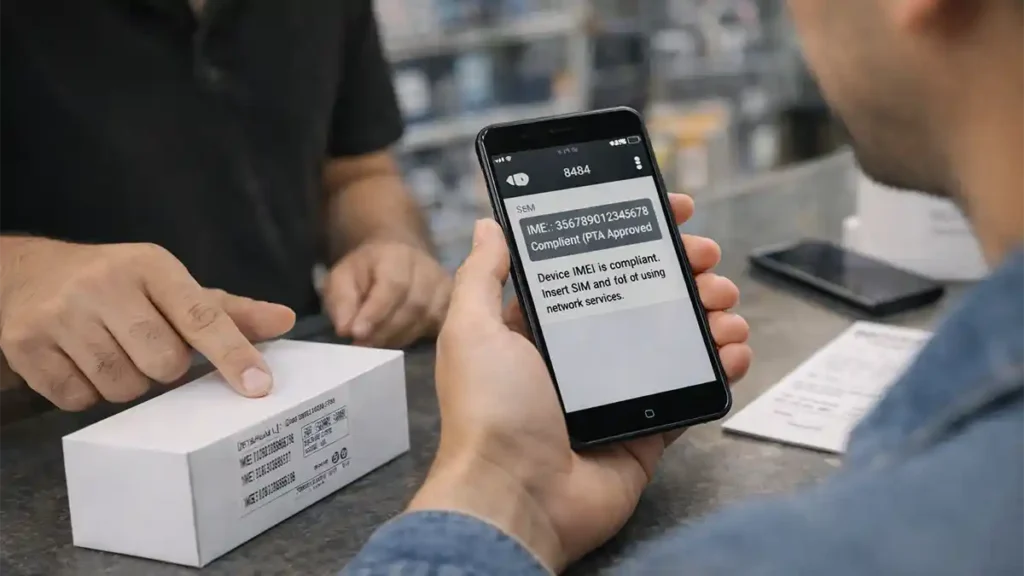
Method 1: SMS IMEI to 8484 (Fast and Common)
Send the 15 digit IMEI via SMS to 8484.
This is one of the most commonly used ways to check device status in Pakistan.
Best practice for SMS checking
- Send each IMEI separately (for dual SIM phones)
- Take a screenshot of the response
- Save it with the date/time if you are buying from a seller
- Recheck before payment if there is a delay
Method 2: PTA DIRBS / DVS Web Portal
You can also verify the device through the PTA device verification portal (DVS/DIRBS). This is useful if:
- you want a second confirmation,
- the SMS result is unclear,
- or you are verifying multiple devices.
Method 3: PTA DVS App (where available)
If PTA’s DVS app is available on your device/app store, it can be another helpful method for IMEI checking. Some buyers prefer it because it keeps the process simple.
Smart buyer rule
If the deal is expensive (especially flagship phones), use at least two verification methods:
- SMS to 8484
- and portal/app check
That extra 2–3 minutes can save a large loss.
Step 3: Understanding IMEI Status Results (What They Mean)
Checking is only half the job. The second half is understanding the result correctly.
Different interfaces may use slightly different wording, but the practical meaning usually falls into these categories.
1. Compliant / PTA Approved
This is the result most buyers want.
It generally means the device IMEI is recognized for use on Pakistani networks. If everything else is also clean (box match, no account lock, no theft issues), the phone is usually safe to buy.
What to do next:
Still complete your checks do not stop here. PTA compliance does not confirm iCloud status, FRP lock, battery condition, or whether the phone is stolen.
2. Non Compliant
This means the phone is not currently in a status that supports normal local SIM use without further action.
This can happen for different reasons depending on the device history. Sometimes the device needs registration and tax payment. In other cases, the issue may be more serious.
What to do next:
- Do not pay yet
- Confirm exact status through official channels
- Check whether registration is possible
- Check whether tax/duty is pending
- Factor the cost into the total purchase decision
A cheap phone becomes expensive very quickly when hidden tax and risk are added.
3. Blocked / Blacklisted
This is a high risk result.
A blocked phone may not work on local mobile networks. Depending on the reason, recovery may not be simple.
What to do next:
Avoid the purchase unless the seller can provide complete, verifiable, and official proof of a legitimate resolution path. In most normal used phone purchases, the safest option is to walk away.
4. Duplicate / Cloned IMEI Warning (or Similar)
This is one of the most dangerous situations for used phone buyers.
A cloned or duplicate IMEI issue can create long term network and compliance problems. Even if the phone appears to work for a while, it may become problematic later.
What to do next:
Treat this as a red flag. Do not rely on verbal assurances like network chal raha hai, tension nahi.
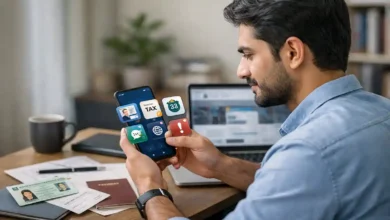
How to Check PTA Tax / Registration Status (Without Guesswork)
Many buyers rely on market rumors or WhatsApp screenshots for tax estimates. That is risky.
If the device is imported, recently brought from abroad, or not yet compliant, you may need to confirm the registration/tax side through the official registration process.
The correct approach
Use the official device registration workflow (DRS/DIRBS) to determine:
- whether registration is needed,
- whether duty/tax applies,
- and what payment details are generated (if applicable).
Why buyers get trapped
Sellers often say things like:
- Tax is very low.
- PTA ho jayega later.
- No issue, just patch.
- My person can do it cheaper.
These statements are common in the market but they are not proof.
Smart rule
Do not buy based on a seller’s estimate of tax.
Buy only after you verify the device status and understand the official registration/payment position.
PSID Explained in Simple Terms
When duty/tax payment is required, the system may generate a PSID (Payment Slip ID / payment reference).
This is an important part of the registration/payment workflow.
Why PSID matters for buyers
If a seller shows you a PSID screenshot, that alone does not prove the phone is fully cleared. You still need to confirm:
- whether the PSID is for the same device,
- whether it is current (not expired),
- and whether payment has actually been completed and reflected.
Common mistake
Buyers see a screenshot and assume tax paid.
That is not always true.
Better practice
Ask for current, verifiable proof and recheck the device status yourself.
Temporary Use Cases: Why Some Phones Work but Still Cause Trouble Later
This is another area that confuses buyers.
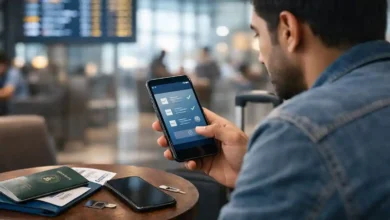
A phone may work on a local SIM for a limited period (for example, in certain temporary use/traveler scenarios), and the seller may use that as proof that the phone is fully fine.
That is not enough.
Key buyer lesson
A phone working today does not always mean it is fully compliant for long term use in Pakistan.
If you are buying a phone brought from abroad, do not rely on it is working right now. Always check:
- IMEI status,
- registration requirement,
- and tax position (if relevant).
Safe Buying Tips Before You Pay (Most Important Section)
This is the section that saves real money.
1. Always check both IMEIs on dual SIM phones
Do not let anyone rush you into checking only one IMEI. Both must be checked separately.
Why: one IMEI may be compliant while the second is non compliant or problematic.
2. Check PTA status in front of the seller
Never accept:
- I checked earlier
- Screenshot available
- Check later
- Network issue right now
- Trust me, it’s approved
Do the check yourself while holding the phone.
3. Match phone IMEI with box IMEI
This is a basic but powerful safety step. If the phone IMEI and box IMEI do not match, pause the deal.
Also check:
- model name,
- storage variant,
- color variant,
- invoice details (if provided).
4. Be careful with too cheap deals
If the price is significantly below market value, assume there is a reason until proven otherwise.
Common hidden reasons:
- non PTA status,
- tax pending,
- patched phone,
- cloned IMEI issue,
- repaired motherboard,
- stolen device,
- hidden account lock.
A low price is not a bargain if the phone becomes unusable.
5. For iPhone buyers: verify iCloud / Find My status
PTA approval does not confirm Apple account safety.
Before buying an iPhone, make sure:
- the seller removes their Apple ID,
- Find My iPhone is disabled,
- the device can be reset and activated,
- serial/model details match the device and box.
A PTA approved iPhone with Activation Lock is still a bad purchase.
6. For Android buyers: check Google account / FRP risk
Factory Reset Protection (FRP) can lock you out after reset if the seller’s Google account is still linked.
Before buying:
- ask the seller to remove the Google account,
- remove screen lock,
- and confirm the phone can be reset and set up normally.
7. Test SIM/network before final payment
If possible, insert a local SIM and confirm:
- the phone detects the SIM,
- network signals appear,
- calls/SMS/data work (or at least network registers).
This helps catch issues that a cosmetic check will never reveal.
8. Save proof of everything
This is one of the smartest habits serious buyers use.
Save:
- IMEI screenshots
- PTA SMS results
- photos of phone and box labels
- invoice/receipt
- seller contact and shop name/location
- payment proof
If a problem appears later, this evidence can protect you.
A Professional 10 Minute PTA Check Checklist (Use Before Every Purchase)
You can use this checklist in a shop, market, or person to person meeting.
Minute 1–2: Confirm device basics
- model
- storage
- color
- condition
- battery/health (if relevant)
Minute 3: Find IMEI(s)
- dial *#06#
- note or screenshot every IMEI
Minute 4–5: Check PTA status
- send each IMEI to 8484
- read responses carefully
- cross check via portal/app if needed
Minute 6: Match box and phone details
- IMEI on phone = IMEI on box?
- model/storage/color match?
Minute 7: Lock/account verification
- iPhone: Apple ID / Find My / Activation Lock risk
- Android: Google account / FRP risk
Minute 8: Network/SIM test
- SIM detection
- signal bars
- call/network registration test
Minute 9: Tax/registration clarity (if imported/non compliant)
- ask for official proof
- do not rely on old screenshots
- confirm total cost before paying
Minute 10: Documentation
- receipt
- seller details
- screenshots
- payment proof
This simple process can save you from a very expensive mistake.
Common Market Scams and Red Flags (Pakistan Smartphone Buying)
Even experienced buyers can get trapped when the deal looks attractive. These are the warning signs you should take seriously.
Red Flag 1: PTA approved claim with no live verification
If the seller refuses a live IMEI check, that is a major red flag.
Red Flag 2: Only one IMEI checked
This is a common shortcut used in risky deals involving dual SIM phones.
Red Flag 3: Screenshot only proof
Screenshots can be old, edited, or from a different device.
Red Flag 4: IMEI mismatch explained as normal
It is not something to ignore. Mismatch means you need a clear explanation and proof.
Red Flag 5: Patch ho jayega sales pitch
Patched devices may seem cheaper but often create long term problems, poor resale value, and uncertainty.
Red Flag 6: Pressure tactics
If the seller says:
- Another buyer is coming
- Transfer now or deal gone
- No need to check, I’m trusted
Slow down. Scammers use urgency to stop you from verifying.
Real Life Buying Scenarios (How Smart Buyers Think)
Scenario 1: Used iPhone from an online listing
You find a good looking iPhone at a very attractive price. The seller says it is PTA approved, no issue.
What a smart buyer does:
- meets in a safe public place or shop,
- checks IMEI(s) via *#06#,
- verifies PTA status via 8484,
- checks iCloud/Find My status,
- confirms device/box details,
- tests SIM/network if possible.
What a risky buyer does:
Pays immediately because the phone looks original and battery health seems good.
Scenario 2: Box packed imported Android phone
The phone is sealed and looks brand new. Seller says tax can be handled later and the phone is cheap because imported.
What a smart buyer does:
- checks IMEI status first,
- confirms if tax/registration is pending,
- calculates total cost (phone price + possible tax),
- compares with price of already PTA compliant units.
Many buyers discover too late that the cheap phone costs more after registration expenses.
Scenario 3: Phone brought from abroad by a relative
The phone works initially, so the buyer assumes it is fully fine.
Later, network related issues appear.
Lesson: temporary usability is not the same as permanent compliance. You still need to verify the device status and registration position properly.
What to Do If a Phone Shows Non Compliant or Duplicate/Clone Status
If you see a warning status, do not panic but do not ignore it either.
Step 1: Recheck the IMEI(s)
- dial *#06#
- confirm you entered the correct number(s)
- verify both IMEIs if dual SIM
Step 2: Verify using a second method
If you checked by SMS, also check via portal/app. If you checked via portal, also try SMS to 8484.
Step 3: Stop the purchase (if you have not paid yet)
Do not take a chance because the price is low.
Step 4: If already purchased, collect proof immediately
Save:
- screenshots,
- seller chats,
- invoice,
- box images,
- PTA check results,
- payment evidence.
Step 5: Use official support/complaint channels where needed
If the issue is serious (duplicate/cloned/blocked concerns), follow official PTA complaint or support routes rather than relying on shop level promises.
Expert Buying Tips for 2026 (Practical, Safe, and Resale Friendly)
Tip 1: Buy based on total ownership cost
The real cost of a phone is not just the purchase price. Consider:
- PTA/tax exposure,
- repair risk,
- battery replacement,
- accessories,
- resale value.
A slightly more expensive but clean PTA compliant device is often the smarter deal.
Tip 2: Prefer transparent sellers over the cheapest sellers
A seller who allows full checking and gives proper proof is usually worth paying slightly more.
Transparency reduces risk.
Tip 3: Keep a Phone Purchase Proof folder
Create a folder in your gallery/cloud storage and save:
- IMEI screenshots
- PTA verification screenshots
- invoice
- seller contact
- phone/box photos
This helps later in resale, warranty claims, and disputes.
Tip 4: Recheck PTA status before reselling your own phone
If you plan to sell your phone later, do the same checks and provide proof to buyers. It builds trust and improves resale value.
Tip 5: Teach family members the verification process
Parents, students, and non technical buyers often focus only on appearance and price. A simple PTA check can prevent a major loss.
Mistakes Even Smart Buyers Make
Mistake 1: Assuming network works now means everything is fine
Not always. Temporary usage or unresolved status issues can create future problems.
Mistake 2: Trusting market reputation without checking personally
Even well known shops can have mixed stock. Always verify the exact device you are buying.
Mistake 3: Ignoring the second IMEI
This is one of the most common and costly mistakes in dual SIM phones.
Mistake 4: Confusing PTA status with tax completion
A device may have a status issue, a tax issue, or both. These are related but separate checks.
Mistake 5: Relying on random online tax calculators only
They may be useful for rough estimates, but they are not a substitute for the official registration/payment workflow.
Final Buyer Summary (What to Do Before Paying for Any Phone)
If you want a short, professional checklist to remember, use this:
- Dial *#06# and get all IMEIs.
- Check each IMEI via 8484 (and portal/app if needed).
- Read the result carefully (compliant / non compliant / blocked / warning).
- Match IMEI(s) with the box and device details.
- Check iCloud/FRP lock risks (iPhone/Android).
- Test SIM/network before paying (if possible).
- Confirm tax/registration status for imported or non compliant devices.
- Save proof (screenshots, invoice, seller info, payment proof).
This process is simple, fast, and far safer than buying based on trust alone.
Quick FAQ
How can I check if my phone is PTA approved in Pakistan?
Dial *#06# to get your IMEI, then send the 15 digit IMEI to 8484. You can also use the PTA device verification portal/app for confirmation.
Do I need to check both IMEIs on a dual SIM phone?
Yes. Always check both IMEIs separately. One IMEI may be fine while the other has a status issue.
What does Non Compliant mean in PTA IMEI status?
It generally means the device is not currently in a compliant state for normal local SIM use and may need further verification or registration steps.
Is PTA approval the same as PTA tax paid?
No. PTA approval/status check is about IMEI compliance. Tax/payment status is part of the registration process for eligible/imported devices.
How do I check the exact PTA tax amount for my phone?
Use the official device registration workflow rather than relying only on market estimates or screenshots shared by sellers.
Can a phone work for some time and still become a problem later?
Yes. A phone may appear to work initially, but that does not always confirm long term compliance or completed registration status.
What is the safest way to buy a used phone in Pakistan?
Check all IMEIs live, verify via 8484, match box and phone details, test SIM/network, check account locks, and save proof before payment.
What should I do if the phone shows duplicate/cloned or blocked status?
Do not proceed with the purchase until the issue is officially clarified. If already purchased, collect all proof and use official support/complaint channels.
Conclusion
Buying a phone in Pakistan today is not only about specs, design, or camera quality. It is about verification, compliance, and proof.
The smartest buyers do not stop at Is the phone original? They also ask:
- Is it PTA compliant?
- Are all IMEIs clean?
- Is any tax/registration still pending?
- Can the seller prove everything right now?
That mindset protects your money.
If you follow the steps in this guide IMEI check, PTA status verification, tax clarity, and safe buying habits you can avoid the most common traps in the market and make better decisions whether you are buying a budget Android, a flagship iPhone, or a used phone for a family member.
A good deal is not the cheapest phone.
A good deal is the phone that remains usable, safe, and easy to resell.